
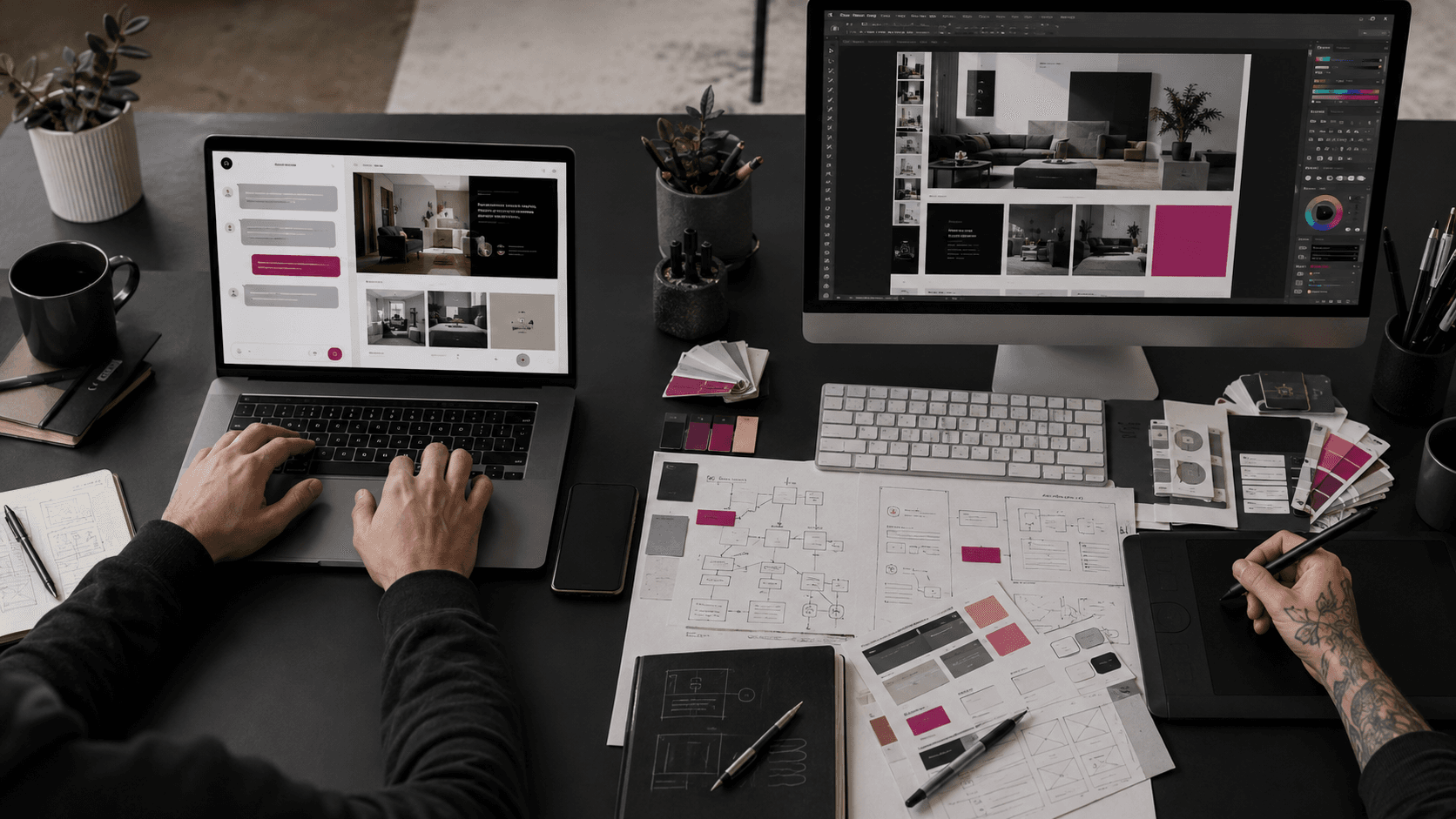
AI Website Builder vs Professional Web Designer: Which Should Your Business Choose?
AI website builders have changed what it takes to create a website.
A business owner can now describe a company, select a style, and generate a complete starting point with pages, layouts, images, and written content. Platforms such as Wix, Webflow, Squarespace, and Framer increasingly combine AI generation with visual editing, content management, hosting, and search settings.
This raises an understandable question:
Why hire a professional web designer when AI can generate a website in minutes?
The answer depends on what the website needs to accomplish.
An AI website builder can be a practical choice for a simple project with a limited scope. A professional designer is usually more valuable when the website must express a distinctive brand, support complex customer journeys, integrate business systems, or become a long-term growth asset.
The decision is not simply AI versus human. Many professional studios already use AI to accelerate research, exploration, content planning, testing, and development. The real difference is whether a tool is producing the initial output or an experienced team is responsible for the complete result.
The Quick Answer
Choose an AI website builder when:
- You need a simple website or landing page quickly.
- Your offer and content are already clear.
- You are comfortable making design and content decisions yourself.
- You can work within the platform's available layouts and features.
- The website is temporary, experimental, or used to validate an idea.
- You have time to review, edit, test, and maintain the result.
Choose a professional web designer when:
- Your website represents an established or premium brand.
- Customers need to understand several services or products.
- The project requires original strategy, design, or functionality.
- Search visibility and conversion are important business goals.
- You need integrations, automation, multilingual content, or custom workflows.
- Performance, accessibility, security, and future growth require careful planning.
- You want an expert to take responsibility for the complete experience.
Choose a hybrid approach when you want AI-assisted speed with professional strategy, design direction, development, quality assurance, and ongoing support.
What Is an AI Website Builder?
An AI website builder is a platform that uses generative AI to help create part or all of a website from prompts, business information, or guided questions.
Depending on the platform, it may generate:
- A sitemap or page structure.
- Homepage and service-page layouts.
- Draft website copy.
- Images or visual suggestions.
- Colors and font combinations.
- Responsive sections.
- Forms and basic business features.
- Search metadata.
The generated website is normally a starting point that can be edited in the platform's visual interface.
The capabilities have improved quickly. Wix describes a conversational process that generates a business-ready website and allows further visual editing. Webflow can generate multi-page site structures, content, and a design system. Squarespace Blueprint AI combines guided business questions with generated structure, copy, and styling. Framer AI creates editable pages that can be refined on a visual canvas.
These tools can reduce the time required to reach a usable first draft. They do not remove the need to decide whether that draft is accurate, distinctive, accessible, persuasive, and appropriate for the business.
What Does a Professional Web Designer Actually Provide?
A professional web designer does more than arrange sections on a page.
The work may include:
- Understanding the business model and commercial goals.
- Researching the audience and competitors.
- Planning the sitemap and customer journeys.
- Defining the visual direction.
- Creating a clear content hierarchy.
- Designing conversion paths and calls to action.
- Coordinating copy, images, and brand assets.
- Building or supervising responsive development.
- Planning technical SEO and structured content.
- Connecting forms, analytics, booking tools, payment systems, or business software.
- Testing performance, accessibility, browser compatibility, and real devices.
- Preparing the website for future changes.
The value is not only the final visual design. It is the judgment applied to hundreds of connected decisions.
An AI builder can suggest a layout. A professional should be able to explain why the layout, message, hierarchy, and technology support the business goal.
The Most Important Differences
1. Fast Generation vs a Complete Process
AI website builders are exceptionally useful for speed.
They can turn a short description into a visible draft in minutes. This helps when a business needs to test an idea, create a temporary campaign page, or overcome the difficulty of starting with a blank screen.
However, generating the first draft is only one part of creating a successful website.
The project still needs:
- Accurate content.
- Strong images.
- Clear navigation.
- Mobile refinement.
- Search settings.
- Form testing.
- Analytics.
- Legal and privacy information where applicable.
- Accessibility review.
- Performance testing.
- Ongoing maintenance.
A professional process usually takes longer because it includes discovery, decisions, revisions, implementation, and quality assurance.
The correct comparison is not minutes versus weeks. It is first draft versus finished business asset.
2. Generated Assumptions vs Business Strategy
An AI builder works with the information entered into it and the patterns available within the platform.
If the brief is vague, the result will often be vague.
For example, the instruction “create a modern website for a property company” does not explain:
- Whether the company serves buyers, investors, sellers, or landlords.
- Which locations or property types matter.
- What makes the company credible.
- Which action should be prioritized.
- What objections visitors have before making contact.
- How leads should be qualified and handled.
A professional designer should ask these questions before deciding how the website should work.
This strategic stage affects the pages, messaging, forms, calls to action, integrations, and proof shown throughout the site.
AI can assist with research and ideation. It cannot independently understand private business goals, internal processes, customer feedback, and commercial priorities unless people provide and validate that context.
3. A Polished Starting Point vs a Distinctive Brand Experience
AI builders can generate attractive websites. The risk is not always poor visual quality. The risk is similarity.
Generated sites often rely on familiar patterns:
- Large headline and image.
- Three feature cards.
- Short benefits section.
- Testimonial row.
- Frequently asked questions.
- Final call to action.
These patterns are useful because visitors understand them. Problems appear when the visual language, copy, photography, and interactions feel interchangeable with many other businesses.
A professional designer can create a more distinctive experience by connecting:
- Brand positioning.
- Art direction.
- Typography.
- Color.
- Layout rhythm.
- Photography or illustration.
- Motion.
- Voice and tone.
- Interaction details.
Not every business needs an experimental website. Every business does need a presentation that feels credible and appropriate for its market.
For a premium service, luxury brand, specialist consultancy, or creative company, a generic result can weaken the positioning the website is meant to strengthen.
4. Self-Directed Decisions vs Expert Direction
An AI builder removes many technical barriers, but it transfers more decisions to the business owner.
You may still need to decide:
- Which generated version is strongest.
- What content should be removed or rewritten.
- Whether the visual hierarchy is clear.
- Where calls to action should appear.
- Whether the mobile layout works properly.
- Which integrations are reliable.
- Whether the site is ready to publish.
This can be empowering for someone who enjoys design and digital tools. It can also become time-consuming for a business owner already managing operations, sales, and customers.
A professional designer reduces this decision burden by making recommendations, explaining tradeoffs, and managing the process.
The business still provides input and approval, but it does not need to solve every design and technical problem alone.
5. Available Components vs Custom Functionality
AI builders are strongest when the project fits the platform's existing capabilities.
Common needs such as contact forms, blogs, portfolios, basic stores, bookings, and simple content collections may already be supported.
Complexity increases when the website needs:
- A unique quotation or pricing flow.
- Advanced product configuration.
- Property or directory search.
- Customer dashboards.
- Membership access.
- Complex multilingual behavior.
- Custom CRM or operational integrations.
- Real-time data.
- Business-specific automation.
- Unusual interactions or animation.
Some platforms support extensions or custom code, but each has technical limits. Adding many workarounds can make the project harder to maintain.
A professional designer and developer can assess whether a builder, content management system, headless setup, or custom application is the right foundation before the build begins.
6. Built-In SEO Tools vs an SEO Strategy
Many AI website builders include useful SEO controls such as editable page titles, meta descriptions, custom URLs, image alternative text, redirects, and sitemaps.
These features are important. They do not automatically create an effective search strategy.
Search visibility also depends on:
- Understanding what customers search for.
- Giving each important search intent a suitable page.
- Writing useful and accurate content.
- Creating clear internal links.
- Making pages crawlable and indexable.
- Building credibility through original information and proof.
- Maintaining performance and mobile usability.
- Measuring results and improving content over time.
Google states that using AI or automation is not inherently against its guidelines. Its guidance emphasizes accuracy, quality, relevance, and people-first content, including when content is generated with AI. You can review Google's guidance on generative AI content.
An AI-generated page can rank, and a professionally designed page can fail to rank. The deciding factor is not who or what produced the page. It is whether the final website is technically sound, useful, relevant, and trusted.
7. A Working Layout vs Conversion Design
A website can look finished without guiding visitors toward a meaningful next step.
Conversion design considers:
- Which visitor is arriving.
- Where that visitor came from.
- What they already understand.
- What concern is preventing action.
- Which proof builds confidence.
- How much information is needed.
- Which call to action fits their level of intent.
An advertisement visitor may need a focused landing page. A referral may want to review previous work. A search visitor may arrive through a detailed service page and compare several providers.
A professional designer can plan these different paths and connect them to forms, analytics, follow-up processes, and business goals.
An AI builder may provide the necessary sections, but the owner must still decide how those sections should persuade and convert the intended audience.
8. Automatic Responsiveness vs Real-Device Refinement
Modern builders normally generate responsive layouts, but automatic responsiveness does not guarantee an excellent mobile experience.
Real testing may reveal:
- Headlines that wrap awkwardly.
- Buttons that are difficult to tap.
- Images cropped around the wrong subject.
- Content that appears in an unhelpful order.
- Animations that feel slow.
- Forms that are frustrating to complete.
- Popups that cover essential information.
Professional quality assurance should test important pages, devices, browsers, forms, and interactions instead of relying only on the editor preview.
Performance also requires attention. Google's Core Web Vitals evaluate loading performance, responsiveness, and visual stability. Heavy images, excessive animation, third-party scripts, and poorly configured components can affect a builder site or a custom site.
9. Accessibility Features vs Accessibility Responsibility
Website platforms can provide accessible components and settings, but accessibility depends on how the final site is assembled and maintained.
Common mistakes include:
- Missing image descriptions.
- Low color contrast.
- Incorrect heading order.
- Unlabelled form fields.
- Keyboard traps.
- Important information shown only through color.
- Motion without suitable controls.
- Links with unclear wording.
The Web Content Accessibility Guidelines explain how digital content can be made more accessible to people with disabilities.
Neither AI generation nor professional involvement guarantees compliance. The final website still needs knowledgeable review and testing.
10. Platform Convenience vs Ownership and Portability
An all-in-one builder can make hosting, publishing, updates, and maintenance easier. The tradeoff may be greater dependence on that platform.
Before choosing a builder, ask:
- Can the website be exported?
- Which parts can be moved to another host?
- Who owns the domain, content, images, and design assets?
- What happens if the subscription ends?
- Can another professional manage the website later?
- Are custom integrations portable?
- How are backups and version history handled?
Policies and export capabilities vary, so review the current terms of the specific platform.
A custom website may provide more technical control, but ownership still depends on the contract, hosting accounts, licenses, and handover process. A professional project should state these clearly before work begins.
When an AI Website Builder Is the Better Choice
An AI website builder may be the practical option when:
- You are validating a new business idea.
- You need a temporary campaign or event page.
- The site only needs a few standard pages.
- The content and customer journey are simple.
- Your brand does not yet require a highly distinctive visual system.
- You are comfortable learning and maintaining the platform.
- Advanced integrations are not required.
- You understand that generated copy and images still need review.
For example, a consultant testing one clearly defined service might use an AI builder to launch an initial page, collect enquiries, and learn what customers respond to.
The builder is most effective when the scope is intentionally simple, not when a complex business is forced into a simple template.
When a Professional Web Designer Is the Better Choice
A professional designer is usually the stronger option when:
- The website is central to how customers judge the business.
- The brand competes on trust, expertise, quality, or premium positioning.
- Several audiences need different information.
- The site must support a structured SEO and content strategy.
- Leads have significant commercial value.
- The project requires custom functionality or integrations.
- Existing analytics reveal conversion or usability problems.
- Accessibility and performance require careful testing.
- Internal teams need training, governance, or ongoing support.
- The website must scale over several years.
The professional route is not only about making the site look better. It reduces the risk of building the wrong structure, using unclear messaging, choosing unsuitable technology, or discovering limitations after launch.
The Hybrid Approach Is Often the Strongest Option
AI website builders and professional designers are not mutually exclusive.
A professional may use AI to accelerate:
- Early research.
- Sitemap exploration.
- Wireframe variations.
- Content outlines.
- Image concepts.
- Repetitive development tasks.
- Quality-assurance checklists.
- Content migration.
Human judgment remains responsible for:
- The brief.
- The strategy.
- The final creative direction.
- Accuracy.
- Brand consistency.
- Technical decisions.
- Testing.
- Approval.
This approach can make the process more efficient without asking the client to become the strategist, designer, copywriter, developer, and tester.
The best professionals will not ignore AI. They will use it selectively while protecting the quality and originality of the final work.
Seven Questions to Help You Decide
1. What Job Must the Website Do?
Is it a simple online presence, a campaign page, a lead-generation platform, an online store, a content hub, or a custom business system?
The more important and complex the job, the more valuable professional planning becomes.
2. How Different Must the Brand Feel?
If a familiar template is acceptable, an AI builder may be sufficient.
If the website must communicate a distinctive premium position, original design direction becomes more important.
3. How Much Is One Customer Worth?
When a qualified enquiry has substantial value, small improvements in clarity, trust, and conversion can justify a more considered website process.
4. Who Will Review and Maintain the Result?
AI reduces production time, but someone still needs to verify the content, replace generic imagery, test forms, manage updates, and monitor performance.
5. What Will the Website Need Next Year?
List the likely future services, languages, integrations, content, team access, and campaigns.
A platform that works for today's simple site may become restrictive as the business grows.
6. What Must Connect to the Website?
Identify requirements such as CRM, email marketing, analytics, booking, inventory, payments, automation, customer accounts, or internal systems before choosing the platform.
7. Who Is Responsible When Something Does Not Work?
With a self-built website, the owner is normally responsible for diagnosis and correction.
With a professional project, confirm what support, warranty, training, maintenance, and response expectations are included.
Common Mistakes to Avoid
Publishing the First Generated Version
Generated copy may be generic, repetitive, inaccurate, or unsupported. Generated layouts can also contain sections that do not match the real customer journey.
Treat the initial version as a draft. Review every claim, image, link, form, and call to action.
Choosing Only by Launch Speed
A fast launch is valuable when speed serves a clear business reason.
It is less valuable when the website needs to be rebuilt shortly afterward because its structure, platform, or content cannot support the business.
Assuming Built-In SEO Means Automatic Rankings
SEO controls make optimization possible. They do not replace research, useful content, technical quality, credibility, and continued improvement.
Using Generic AI Images Without Review
Generated visuals may look polished while feeling disconnected from the brand or presenting unrealistic details.
Use real photography, original illustration, product imagery, project screenshots, or carefully art-directed AI visuals where appropriate.
Ignoring Mobile, Forms, and Accessibility
A website is not ready simply because the desktop homepage looks good.
Test the complete experience, especially the actions that produce enquiries or sales.
Hiring a Professional Without Checking the Process
Professional involvement is only valuable when the provider understands strategy, design, implementation, testing, and handover.
Ask to see relevant work and clarify:
- Deliverables.
- Timeline.
- Revision process.
- Technology.
- Ownership.
- Hosting.
- Maintenance.
- Analytics.
- Post-launch support.
How MM Creative Studio Approaches AI-Assisted Website Design
At MM Creative Studio, we see AI as a useful production tool, not a substitute for understanding the business.
We begin with:
- The offer.
- The target audience.
- The customer journey.
- The desired action.
- The brand position.
- The content requirements.
- The technical requirements.
- The plans for future growth.
AI can help us explore and accelerate parts of the process. The final decisions are guided by strategy, creative direction, development experience, and human review.
Sometimes a focused landing page is enough. Sometimes a platform-based website is the right answer. Other projects require a completely custom website or web application.
The goal is not to use the most complicated technology. It is to choose the right foundation and create a website that supports the business beyond launch day.
Final Thoughts
AI website builders make website creation faster and more accessible. For simple projects, that can be exactly what a business needs.
A professional web designer becomes more valuable when the challenge is not merely producing pages, but deciding what those pages should say, how they should work, how they should feel, and how they will support growth.
The most useful question is not:
Can AI build a website?
It clearly can.
The better question is:
Who will make sure the website is the right one for your business?
If you are deciding between an AI builder, a platform-based website, or a custom build, MM Creative Studio can help you evaluate the requirements and choose an approach without making the project larger than necessary.
Start a Project With MM Creative Studio
Frequently Asked Questions
Can an AI Website Builder Replace a Web Designer?
It can replace some production tasks, especially for simple websites with familiar layouts and standard features.
It does not automatically replace business discovery, audience research, brand direction, conversion planning, custom development, testing, or accountability.
Can an AI-Generated Website Rank on Google?
Yes. Google does not prohibit content simply because AI helped create it.
The final website still needs accurate and useful content, crawlable pages, clear structure, technical quality, and a good user experience. AI generation does not guarantee visibility.
Are AI Website Builders Only for Beginners?
No. Designers, marketers, developers, and agencies can use AI builders to accelerate exploration and production.
The difference is how much expertise is applied to the brief, customization, validation, and final result.
Is an AI Website Builder Suitable for E-Commerce?
It can be suitable for a straightforward store when the platform supports the required products, payments, shipping, taxes, inventory, and regional rules.
A business with complex product logic, integrations, markets, or operational workflows should evaluate those requirements before selecting a platform.
Will I Own a Website Created With an AI Builder?
Ownership and portability depend on the platform's terms and the assets used.
Check control of the domain, content, generated images, subscriptions, integrations, data exports, and whether the site can be moved. Professional projects should also define ownership and handover in writing.
Can a Professional Redesign an AI-Built Website Later?
Usually, yes, but the effort depends on the platform, existing structure, content quality, and export options.
Sometimes improving the current site is efficient. In other cases, rebuilding on a more suitable foundation is cleaner and more cost-effective.
Should a New Business Start With an AI Website Builder?
It can be a smart way to validate a clear offer before investing in a larger website.
If the business already needs several services, strong credibility, search growth, or custom functionality, professional planning from the beginning may avoid a costly rebuild.
Do Professional Web Designers Use AI?
Many do. AI can support research, ideas, content preparation, development, and testing.
Responsible use means the professional still reviews the output, protects the brand, verifies accuracy, and remains accountable for the final work.
Related Reading
- How to Get Your Business Found in ChatGPT, Gemini, and Google AI Mode in 2026
- Landing Page vs Website: Which Is Right for Your Business?
- Custom Website vs Template: Which Is Right for Your Business?
- 10 Signs Your Website Is Costing You Customers
- Why Every Business Needs a Professional Website in 2026