
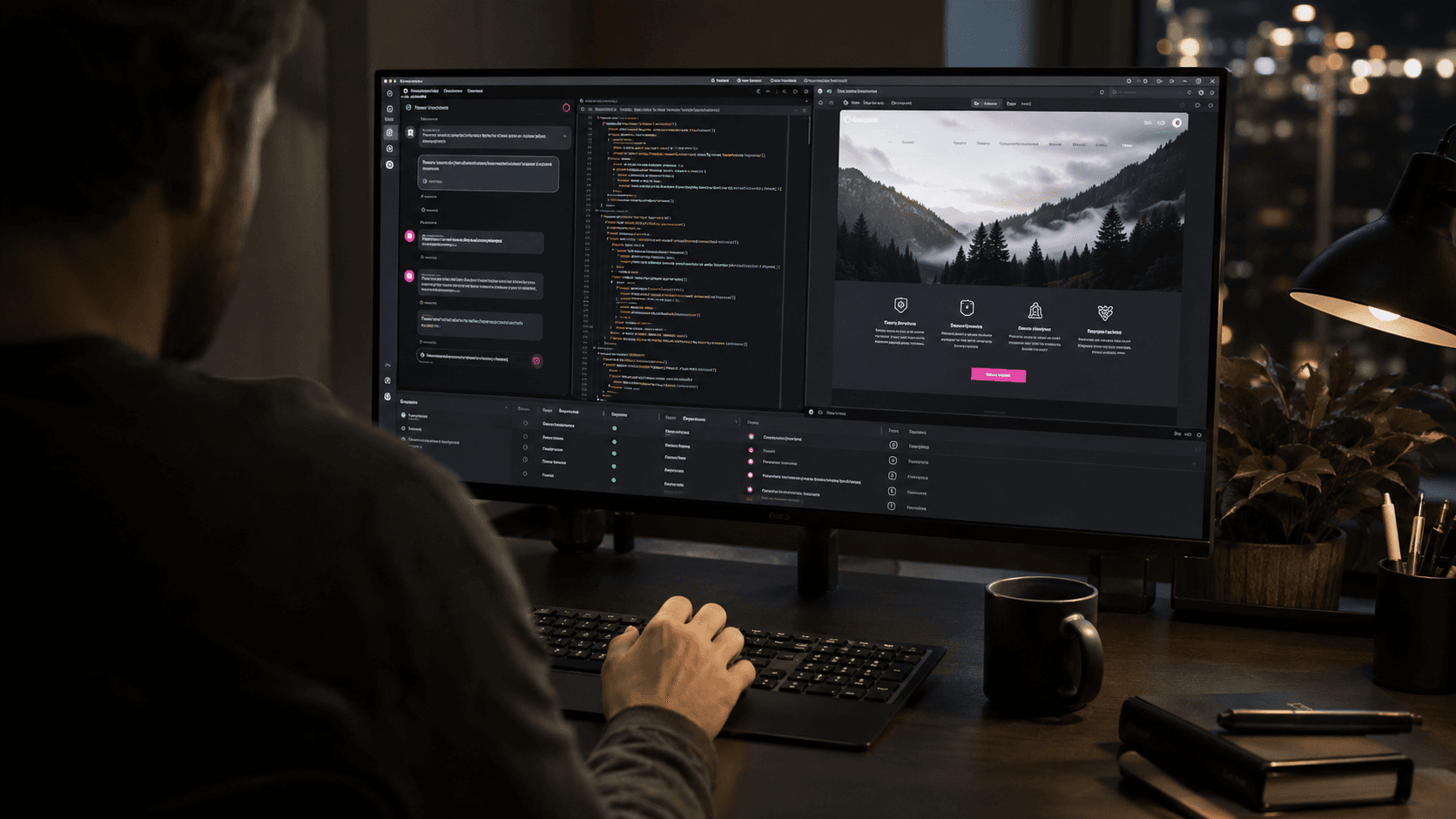
Is Vibe Coding Safe for a Business Website? Benefits, Risks, and Limitations
Vibe coding has made software development feel more accessible than ever.
Instead of writing every line manually, a person can describe a website in natural language, ask an AI coding tool to build it, paste errors back into the conversation, and continue prompting until the result appears to work.
This can be exciting, productive, and genuinely useful.
It can also create a dangerous illusion: if the website works on the screen, the code behind it must be safe and ready for customers.
That assumption is where many problems begin.
A website can look complete while containing insecure authentication, exposed credentials, broken access controls, unreliable data handling, unnecessary dependencies, inaccessible interfaces, or code that nobody on the team understands well enough to maintain.
Vibe coding is not automatically unsafe. Publishing unreviewed code that affects customers, data, payments, or business operations is unsafe, regardless of whether the code was generated by AI or written by a person.
The right question is not simply whether AI wrote the code.
It is whether the final system was planned, understood, reviewed, tested, secured, and placed under responsible ownership.
The Quick Answer
Vibe coding is useful for:
- Exploring an idea.
- Building a disposable prototype.
- Creating a private proof of concept.
- Testing a page layout or interaction.
- Automating a small personal task.
- Helping an experienced developer work faster.
Vibe coding becomes risky when unreviewed code is used for:
- A public production website.
- Customer accounts or authentication.
- Payments or financial information.
- Personal, health, or confidential data.
- Admin dashboards.
- File uploads.
- Database permissions.
- Business-critical integrations.
- Automated actions with real consequences.
The safest approach is AI-assisted engineering: use AI to accelerate the work, but keep a competent person responsible for the architecture, code review, security, testing, deployment, and maintenance.
What Does Vibe Coding Mean?
The phrase became popular after AI researcher Andrej Karpathy used it in 2025 to describe a highly conversational way of creating software in which a person prompts, accepts generated changes, runs the result, and keeps going without paying close attention to the underlying code.
The meaning has since broadened. Some people now use “vibe coding” to describe any development that involves an AI assistant.
That distinction matters.
There is a meaningful difference between:
- Vibe coding: accepting and deploying code without understanding or carefully reviewing it.
- AI-assisted development: using AI while maintaining normal engineering standards and accountability.
An experienced developer who asks AI to generate a component, reviews the changes, writes tests, checks security, and verifies the result is not abandoning engineering responsibility.
A non-technical founder who accepts every change until the application stops showing errors may be creating a useful prototype, but they do not yet have evidence that the product is production-ready.
Why Vibe Coding Became Popular
The appeal is easy to understand.
Modern coding agents can:
- Generate complete interfaces.
- Work across several files.
- Install packages.
- Connect APIs.
- Create database schemas.
- Fix visible errors.
- Write tests.
- Explain unfamiliar code.
- Deploy applications.
This shortens the distance between an idea and something that can be used.
Someone who could not previously create a website may now build an early version in a weekend. A developer can delegate repetitive work and focus on architecture or difficult logic. A business can test a workflow before committing to a larger project.
The speed is real. The risk appears when speed is mistaken for certainty.
AI can produce code that looks professional, uses familiar patterns, and passes a simple demonstration while still being incorrect in cases the prompt did not mention.
The Main Benefits of Vibe Coding
1. Faster Prototyping
Vibe coding is excellent for turning an abstract idea into something visible.
A prototype helps a team:
- Clarify requirements.
- Test a user journey.
- Demonstrate an idea to decision-makers.
- Collect early feedback.
- Identify missing features.
- Decide whether a larger investment is justified.
The prototype does not need to be permanent to be valuable.
In fact, treating it as disposable can be healthy. The team can learn from it and then rebuild the production version with a more suitable architecture.
2. Lower Barrier to Experimentation
Natural-language tools allow designers, marketers, founders, and operations teams to explore digital solutions without waiting for every idea to enter a development schedule.
This can improve communication. A rough working example often explains an idea more clearly than a long document.
However, easier experimentation should not be confused with unlimited authority to publish systems that affect customers or sensitive data.
3. Faster Repetitive Development Work
Experienced developers can use AI to accelerate:
- Boilerplate code.
- Test scaffolding.
- Data transformations.
- Documentation.
- Component variations.
- Refactoring suggestions.
- Migration scripts.
- Debugging.
The time saved can be used for design decisions, security analysis, testing, and review.
The benefit is strongest when the developer can recognize a bad suggestion instead of assuming the output is correct.
4. Learning and Explanation
AI can explain unfamiliar code, compare approaches, and provide examples.
It can help someone understand:
- How a component works.
- Why an error occurred.
- What a dependency does.
- How data moves through the application.
- Which tests might be missing.
This can support learning, but explanations must still be verified. A confident explanation is not proof that the code is correct.
5. More Ideas Can Be Tested
When prototypes become faster, teams can compare more possible solutions before selecting one.
The goal should not be to generate more code for its own sake. It should be to learn faster and make a better decision.
The Biggest Risks of Vibe Coding a Business Website
1. The Website Works, but the Logic Is Wrong
AI-generated code can satisfy the visible example while missing rules that were never stated.
Consider a quotation form. It may calculate the correct result for the sample entered during development but fail when:
- A value is missing.
- A user enters a negative number.
- Currency rounding matters.
- Two discounts conflict.
- The network request is repeated.
- The same record is submitted twice.
- A user changes data in the browser.
Visible success is only one test case.
A business website must also handle incorrect input, unexpected behavior, network failures, abuse, concurrency, and recovery.
2. Security Vulnerabilities Can Look Like Normal Code
OWASP's 2025 guidance specifically warns against inappropriate trust in AI-generated code and connects this problem with vibe coding. The concern is not that AI always produces insecure code. It is that users may accept generated code without the review normally required for secure software.
Common web security failures include:
- Broken access control.
- Weak authentication.
- Injection vulnerabilities.
- Unsafe file uploads.
- Missing rate limits.
- Insecure session handling.
- Sensitive information in logs.
- Incorrect cross-origin settings.
- Unvalidated redirects.
- Exposed administration routes.
The OWASP Top 10 is a useful starting point for understanding common web application risks.
An AI assistant can help identify and fix vulnerabilities. It can also introduce them. A separate review process is still required.
3. Authentication and Authorization Are Easy to Confuse
Authentication asks, “Who is this user?”
Authorization asks, “What is this user allowed to do?”
A site may correctly require a login while still allowing one customer to access another customer's information by changing an identifier in a URL or request.
This type of flaw may not appear during a normal demonstration because the developer tests only one account.
Any project involving accounts, roles, private records, or admin features needs deliberate access-control design and tests that attempt forbidden actions.
4. Secrets Can Be Exposed
API keys, database passwords, payment credentials, signing secrets, and private tokens must not be placed in public source code or browser-delivered JavaScript.
During fast AI-assisted development, someone may:
- Paste a secret into the conversation.
- Store it in a committed configuration file.
- Include it in frontend code.
- Print it in an error message.
- Push it into repository history.
Deleting the visible line later may not remove the secret from history. The credential usually needs to be revoked and replaced.
GitHub's secret scanning documentation explains how repositories can be checked for known credential patterns.
The safest rule is simple: never give an AI tool, repository, browser, or log more secret access than it needs.
5. Dependencies Create Supply-Chain Risk
AI tools often solve a problem by installing a package.
That package may be:
- Unmaintained.
- Vulnerable.
- Unnecessary.
- Incorrectly licensed.
- Similar in name to a malicious package.
- Incompatible with the rest of the project.
A project can quickly accumulate dozens or hundreds of indirect dependencies that the owner did not consciously choose.
Review every new dependency and confirm:
- Why it is required.
- Whether it is actively maintained.
- Whether known vulnerabilities exist.
- Whether a simpler built-in solution is available.
- Whether its license fits the project.
GitHub's dependency review guidance describes how teams can identify vulnerable or problematic dependencies before introducing them.
6. Customer Data May Be Collected Without a Proper Plan
A generated form can begin collecting names, email addresses, phone numbers, files, location details, or payment-related information immediately.
The business still needs to decide:
- What data is necessary.
- Where it is stored.
- Who can access it.
- How long it is retained.
- How it is protected.
- How deletion requests are handled.
- Which privacy notices and consent mechanisms are required.
- Whether third-party services receive the data.
AI cannot determine the complete legal and operational requirements from a short website prompt.
Projects involving regulated or highly sensitive information should receive qualified legal, security, and technical review.
7. Agent Permissions Can Cause Real Damage
Modern coding agents may be able to edit files, run terminal commands, install packages, access networks, or interact with cloud services.
The risk is not limited to generated code. It includes what the agent is allowed to do while creating that code.
Anthropic's Claude Code security documentation describes permission controls that begin with restricted access and require approval for more powerful actions. GitHub also documents isolated environments and responsible-use limitations for coding agents.
Good practice includes:
- Begin with read-only access.
- Approve sensitive actions individually.
- Use a local or isolated environment.
- Avoid production credentials.
- Limit network access.
- Review commands before execution.
- Keep backups and version control.
- Do not allow broad permissions merely to avoid approval prompts.
Convenience is not a good reason to give an agent unrestricted access to a production system.
8. The Codebase Can Become Difficult to Maintain
Repeated prompting may fix each visible problem by adding another condition, library, or abstraction.
Over time, the project may contain:
- Duplicate logic.
- Conflicting patterns.
- Unused files.
- Inconsistent naming.
- Large components.
- Unclear data flow.
- Workarounds built on earlier workarounds.
- Comments that no longer match the code.
This technical debt makes future changes slower and riskier.
If nobody understands the architecture, even a small request can cause unexpected failures elsewhere.
Maintainability is a business issue. It affects how quickly the website can adapt, how easily another developer can help, and how expensive future problems become.
9. Testing May Focus Only on the Happy Path
Vibe coding often follows a loop:
- Ask for a feature.
- Run the website.
- See an error.
- Paste the error back.
- Accept the fix.
This loop can solve visible failures without testing what happens when users behave differently.
Production testing should include:
- Expected use.
- Invalid input.
- Permission boundaries.
- Network failure.
- Duplicate actions.
- Slow connections.
- Different screen sizes.
- Keyboard navigation.
- Browser differences.
- Recovery after failure.
GitHub's responsible-use guidance for AI coding tools recommends careful human review and testing because generated code may contain functional or security problems.
10. SEO, Accessibility, and Performance Can Be Forgotten
A website can function without being easy to find or use.
AI-generated projects may still contain:
- Missing page titles and descriptions.
- Incorrect heading structures.
- Client-rendered content that search engines cannot access reliably.
- Broken canonical URLs.
- Missing image descriptions.
- Low color contrast.
- Unlabelled form fields.
- Oversized images.
- Excessive JavaScript.
- Layout shifts.
- Poor mobile behavior.
These problems are not unique to vibe coding. They are common when a team treats visible completion as the finish line.
11. There May Be No Reliable Rollback or Recovery
If an AI tool makes many connected changes and the owner does not use version control, it may be difficult to identify what broke the project.
Production websites need:
- A repository with meaningful changes.
- A staging environment.
- Backups.
- Database migration controls.
- A deployment history.
- A tested rollback process.
- Monitoring and error reporting.
“Ask the AI to fix it again” is not a recovery strategy.
Is Vibe Coding Safe for Different Types of Websites?
The risk depends on what the website can access and what happens when it fails.
Lower-Risk Uses
Lower-risk projects may include:
- A local prototype that is not publicly accessible.
- A disposable demonstration using fake data.
- A static personal experiment.
- A visual landing-page concept with no live form.
- An internal tool with no sensitive information and limited access.
These projects should still use version control and basic review, but the consequences of failure are limited.
Moderate-Risk Uses
Moderate-risk projects may include:
- A public brochure website.
- A contact or quotation form.
- A blog with a content management system.
- Analytics and advertising integrations.
- Appointment booking through a trusted third party.
- A site that updates business records through an API.
Even a simple lead form collects personal information and can be abused by spam or automated requests. These projects need validation, rate limiting, privacy review, monitoring, and real testing.
High-Risk Uses
High-risk projects include:
- Customer accounts.
- Online payments.
- E-commerce operations.
- Health or financial information.
- Private documents.
- Admin dashboards.
- Role-based access.
- User-generated files.
- Automated financial or operational actions.
- Systems connected to production databases.
Unreviewed vibe coding is not appropriate for these systems.
AI can still assist an experienced team, but security architecture, access control, testing, monitoring, and incident response must be treated as core project requirements.
A Safer Workflow for AI-Assisted Website Development
1. Define the Risk Before Generating Code
List what the project will access:
- Personal data.
- Authentication.
- Payments.
- Files.
- Databases.
- Third-party APIs.
- Business systems.
- Production infrastructure.
The more sensitive the access, the stronger the review and controls must be.
2. Write Requirements and Boundaries
Before prompting, document:
- The user roles.
- Allowed actions.
- Forbidden actions.
- Data fields.
- Validation rules.
- Error behavior.
- Security requirements.
- Performance expectations.
- Accessibility expectations.
- Deployment constraints.
AI performs better when the task is specific. The document also gives reviewers something concrete to test against.
3. Choose a Known Architecture
Avoid allowing the agent to redesign the entire technology stack every time a problem appears.
Define:
- Framework and supported version.
- Database.
- Authentication provider or approach.
- Hosting environment.
- Coding conventions.
- Testing tools.
- Approved dependencies.
- Folder structure.
Consistency makes the project easier to understand and maintain.
4. Use Version Control From the Beginning
Commit small, understandable changes.
Before accepting a large AI edit:
- Review the changed files.
- Confirm unexpected deletions.
- Check configuration changes.
- Inspect new dependencies.
- Keep a restore point.
Never let an agent make the only copy of important work.
5. Keep Development Separate From Production
Use local development and a staging environment with test data.
Do not give early experiments direct access to:
- Production databases.
- Live payment credentials.
- Customer files.
- Real email or SMS campaigns.
- Destructive cloud permissions.
Promotion to production should be a deliberate, reviewed action.
6. Limit Permissions
Use the least privilege necessary for each tool and account.
Separate:
- Development and production credentials.
- Read and write access.
- Public and private environment variables.
- Human and automated service accounts.
Review every request for broader access instead of approving it automatically.
7. Review Every Change
Do not rely only on the AI tool that produced the code to verify it.
Review should check:
- Correctness.
- Security.
- Readability.
- Maintainability.
- Error handling.
- Data validation.
- Access control.
- Dependency changes.
- Alignment with the requirements.
GitHub's guide to reviewing AI-generated code recommends combining human expertise with automated checks.
8. Run Automated Quality Checks
A basic pipeline may include:
- Formatting.
- Linting.
- Type checking.
- Unit tests.
- Integration tests.
- End-to-end tests.
- Dependency auditing.
- Static security analysis.
- Secret scanning.
- Build verification.
Passing tools does not prove the website is secure. Failing to use them removes useful layers of protection.
9. Test the Security Boundaries
For every protected action, test:
- A user who is signed out.
- A user with the wrong role.
- A user changing an identifier.
- Invalid and oversized input.
- Repeated requests.
- Direct API calls that bypass the interface.
Security should be enforced on the server, not only by hiding buttons in the browser.
10. Test the Real Customer Experience
Review the website on real devices and browsers.
Check:
- Navigation.
- Forms.
- Error messages.
- Mobile layouts.
- Keyboard use.
- Color contrast.
- Page speed.
- Search metadata.
- Analytics events.
- Confirmation emails.
- The full conversion path.
11. Prepare Monitoring and Recovery
Before launch, define:
- What will be monitored.
- Who receives alerts.
- How errors are investigated.
- How credentials are rotated.
- How data is restored.
- How a failed deployment is rolled back.
- Who is responsible for updates.
NIST's Secure Software Development Framework recommends integrating secure practices throughout the software lifecycle rather than treating security as a final check.
12. Obtain Professional Review for High-Risk Features
A qualified review is especially important for:
- Authentication.
- Payments.
- Sensitive customer data.
- File uploads.
- Admin permissions.
- Custom APIs.
- Database rules.
- Infrastructure configuration.
The person reviewing the work must be able to understand and challenge it, not simply ask the same AI tool whether its own solution is secure.
Warning Signs That a Vibe-Coded Website Is Not Ready
Do not publish yet if:
- Nobody can explain how authentication works.
- Production secrets are stored in the source code.
- The database is open to the public internet without appropriate controls.
- There are no tests for user roles or protected actions.
- The project cannot be restored to a known working version.
- Every error is fixed by adding more prompts without reviewing the changes.
- The application uses many packages that nobody has assessed.
- Real customer data was used during experimentation.
- There is no staging environment.
- Forms and APIs have no validation or rate limiting.
- No one has tested the mobile, accessibility, or search experience.
- The owner does not know who will maintain the website after launch.
A smooth demonstration is not enough to resolve these concerns.
When Vibe Coding Is a Good Business Decision
Vibe coding can be a sensible choice when:
- The goal is learning or validation.
- The output is temporary.
- The data is fake or non-sensitive.
- The consequences of failure are small.
- The project is isolated from production systems.
- An experienced person will review anything that becomes permanent.
The business should define success as learning from the prototype, not necessarily keeping every line of generated code.
When You Should Involve a Professional
Professional involvement is advisable when:
- The website generates important leads or revenue.
- Customers create accounts.
- The system stores personal information.
- Payments or financial operations are involved.
- Several business tools must be integrated.
- Search visibility is a long-term goal.
- The brand requires a polished custom experience.
- Failure would damage customer trust or business operations.
- Nobody internally can review the generated code.
A professional developer can still use AI heavily. The difference is that someone remains accountable for the decisions and can evaluate whether the generated solution is appropriate.
How MM Creative Studio Uses AI-Assisted Development
At MM Creative Studio, we use AI to support the development process, but we do not treat generated code as automatically ready for production.
Our approach includes:
- Defining the project requirements and risks.
- Selecting an appropriate architecture.
- Keeping changes under version control.
- Reviewing generated code.
- Testing functionality and important edge cases.
- Protecting credentials and customer data.
- Checking responsive behavior, accessibility, SEO, and performance.
- Using staging before production.
- Planning deployment, monitoring, and future maintenance.
AI helps us move faster. Engineering discipline determines whether the result is reliable.
For a simple prototype, the process can stay lightweight. For authentication, payments, dashboards, databases, and custom integrations, the controls increase with the risk.
Final Thoughts
Vibe coding is one of the most powerful ways to explore and create software quickly.
It is also easy to confuse visible progress with production readiness.
A website is not safe because it loads successfully. It is safe enough to launch only after the team has understood the risks, limited access, reviewed the code, tested the boundaries, protected the data, and prepared to maintain the system.
Use vibe coding freely for ideas and prototypes.
For a real business website, move from vibe coding to AI-assisted engineering before customers, credentials, data, or revenue depend on it.
If you have an AI-built website and are unsure whether it is ready for production, MM Creative Studio can review its structure, security, performance, accessibility, SEO, and maintainability before launch.
Start a Project With MM Creative Studio
Frequently Asked Questions
Is Vibe Coding Safe for a Simple Landing Page?
It can be relatively low risk when the page is static and does not handle sensitive data.
The page should still be reviewed for accuracy, mobile behavior, accessibility, performance, analytics, privacy requirements, and form security before publication.
Can I Use Vibe Coding for an E-Commerce Website?
AI can help build e-commerce interfaces and integrations, but an online store involves payments, customer data, inventory, orders, taxes, and operational workflows.
Do not publish an unreviewed implementation. Use established providers where appropriate and obtain professional review of custom code and integrations.
Is AI-Generated Code Less Secure Than Human-Written Code?
Either can contain vulnerabilities.
The larger risk is inappropriate trust. AI-generated code can appear convincing, so users may accept it without the review, testing, and security practices applied to other software.
Can I Ask the AI to Review Its Own Code?
Yes, as one additional check.
It should not be the only review. Use automated tools, tests, a separate review process, and qualified human judgment for important systems.
Do I Need to Understand Every Line of AI-Generated Code?
The person responsible for production should understand the architecture, data flow, security boundaries, dependencies, and important logic well enough to review, maintain, and recover the system.
Not every contributor needs to memorize every line, but the team cannot safely depend on code that nobody understands.
What Should I Never Share With a Coding AI?
Do not provide production passwords, private keys, payment secrets, customer data, confidential documents, or unrestricted infrastructure credentials unless an approved organizational setup specifically protects that information and requires the access.
Use test data and restricted development credentials whenever possible.
Can a Professional Developer Continue a Vibe-Coded Project?
Usually, but the effort depends on the code quality, architecture, documentation, tests, and version history.
The developer may recommend stabilizing and refactoring the project or rebuilding high-risk parts instead of continuing to add features on an unreliable foundation.
Does Vibe Coding Affect SEO?
AI-assisted code is not automatically good or bad for SEO.
Search performance depends on crawlability, content quality, page structure, performance, mobile usability, metadata, internal links, and other implementation details. These need to be checked in the final website.
Related Reading
- AI Website Builder vs Professional Web Designer: Which Should Your Business Choose?
- How to Get Your Business Found in ChatGPT, Gemini, and Google AI Mode in 2026
- Landing Page vs Website: Which Is Right for Your Business?
- Custom Website vs Template: Which Is Right for Your Business?
- 10 Signs Your Website Is Costing You Customers